Marketing
Calendar
Objective
This guide provides clear instructions on how to add our Marketing Calendar through Outlook or Teams, and what to expect in our calendar!
How to Add Calendar on Outlook
Go to Outlook Calendar> Click on “Add Calendar” > “Add Shared Calendar” > Type in “IR marketing” > Click “Open”
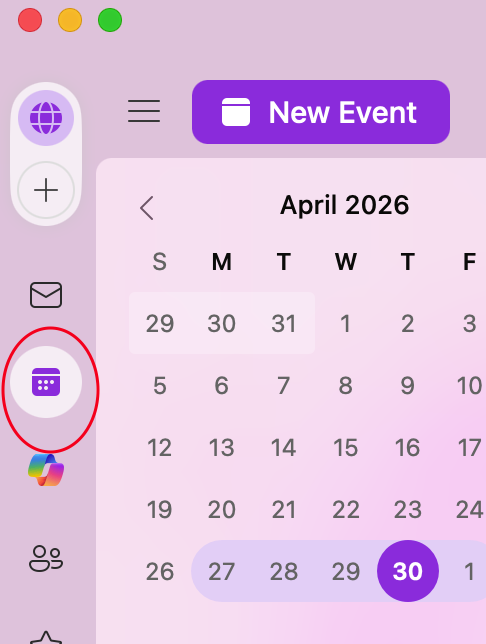
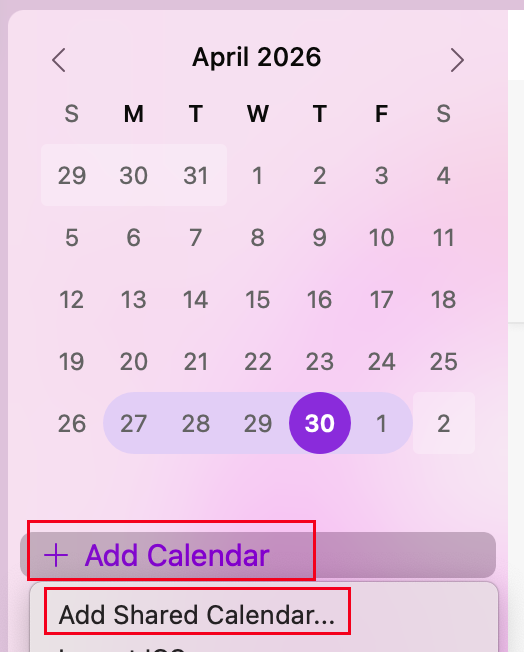
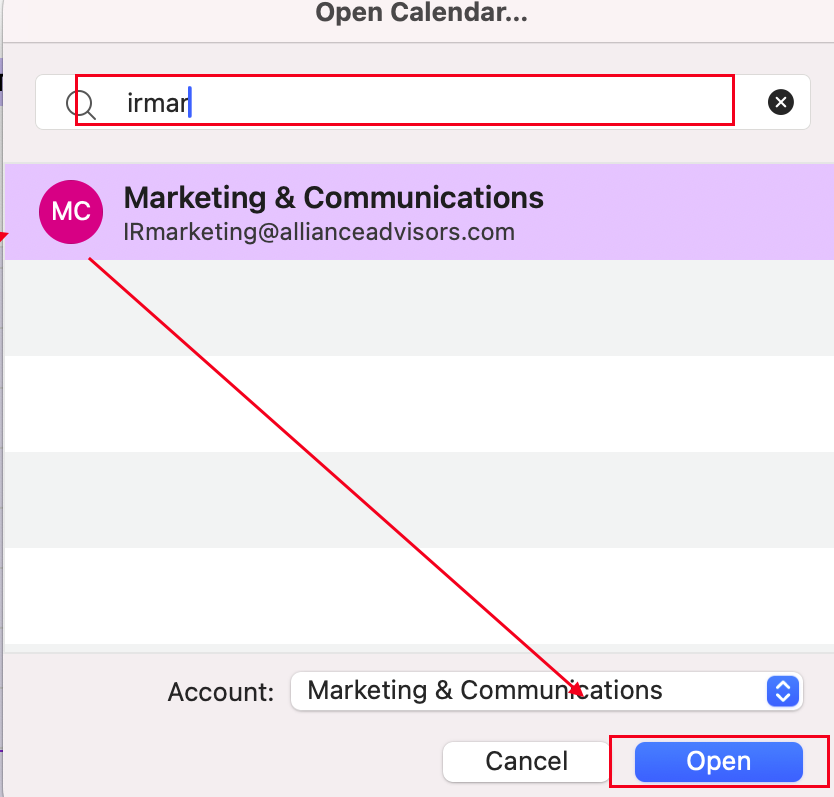
You can now toggle our Marketing Calendar!
How to Add Calendar on Teams
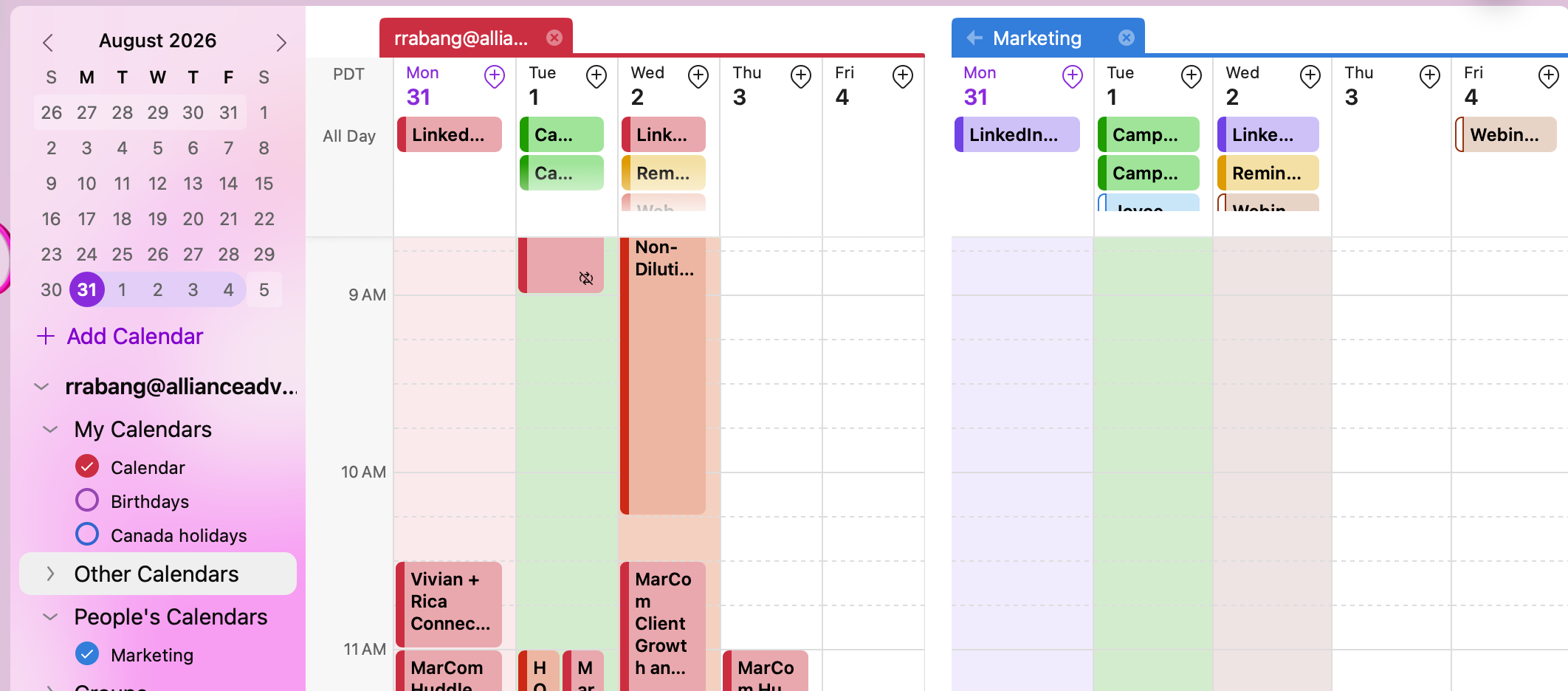
Go to Calendar > Click on the "<-" Icon > Click on “Add Calendar” > Click on “Add from directory” > Select your account > Type in “IR Marketing” > Add to “People’s Calendar” > Click on the button "Add"
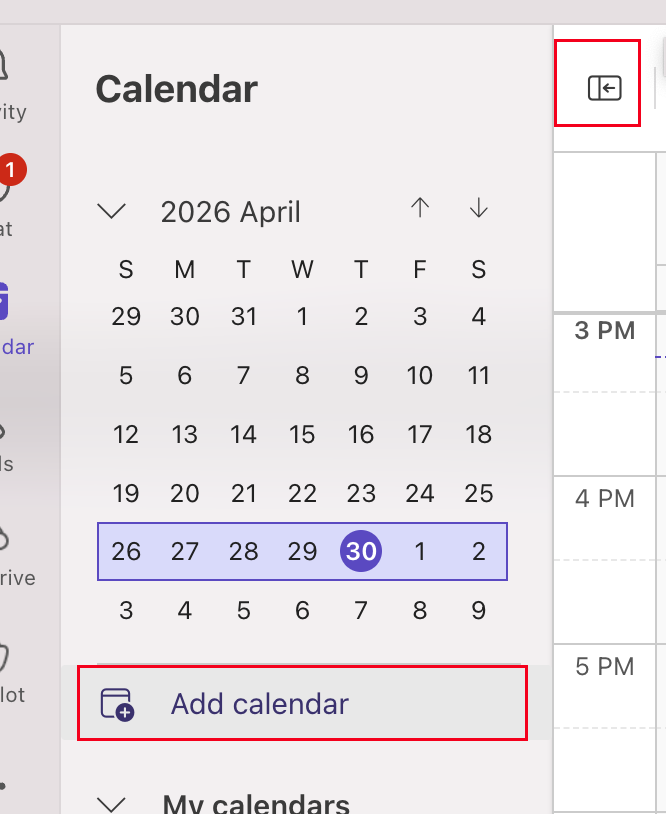
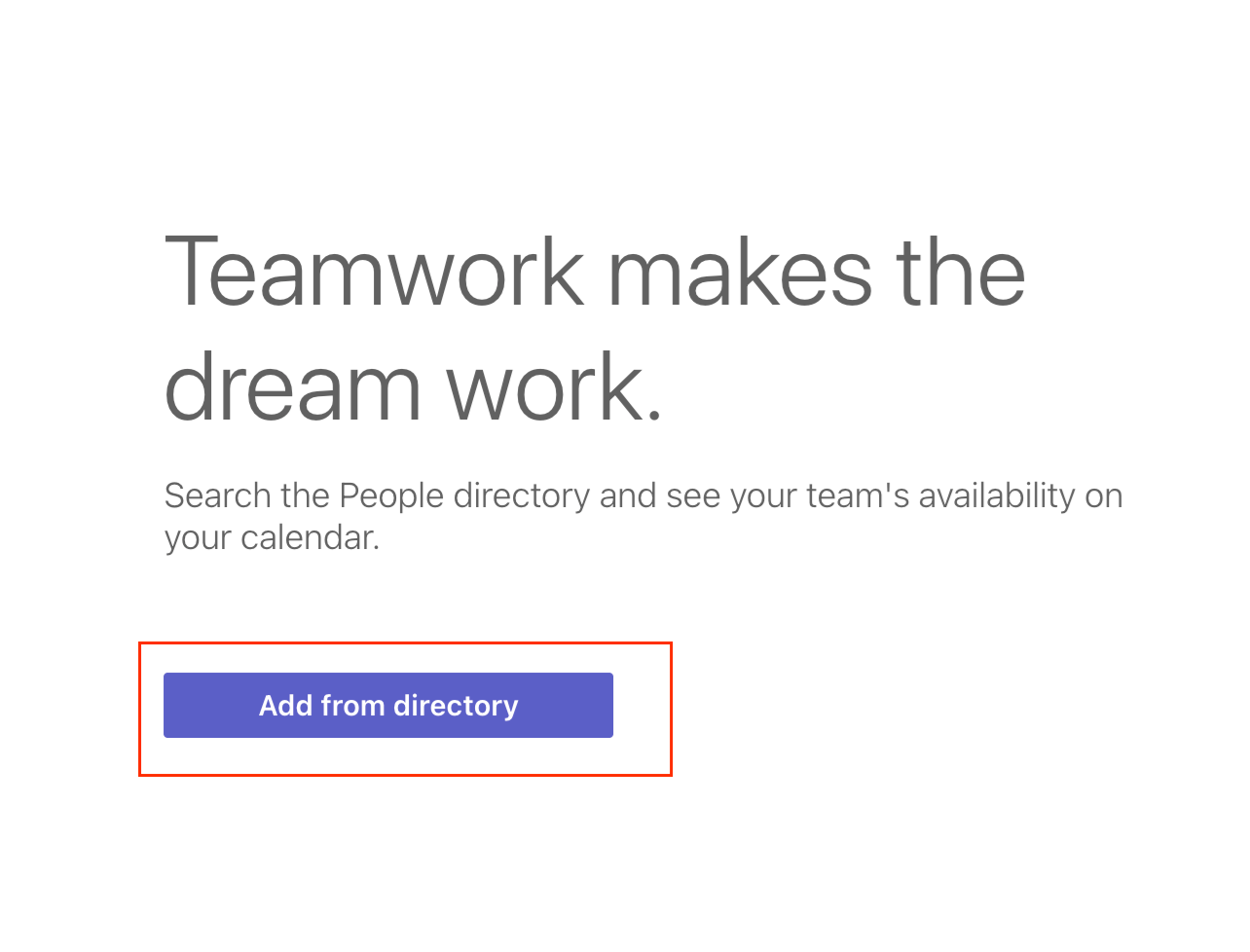
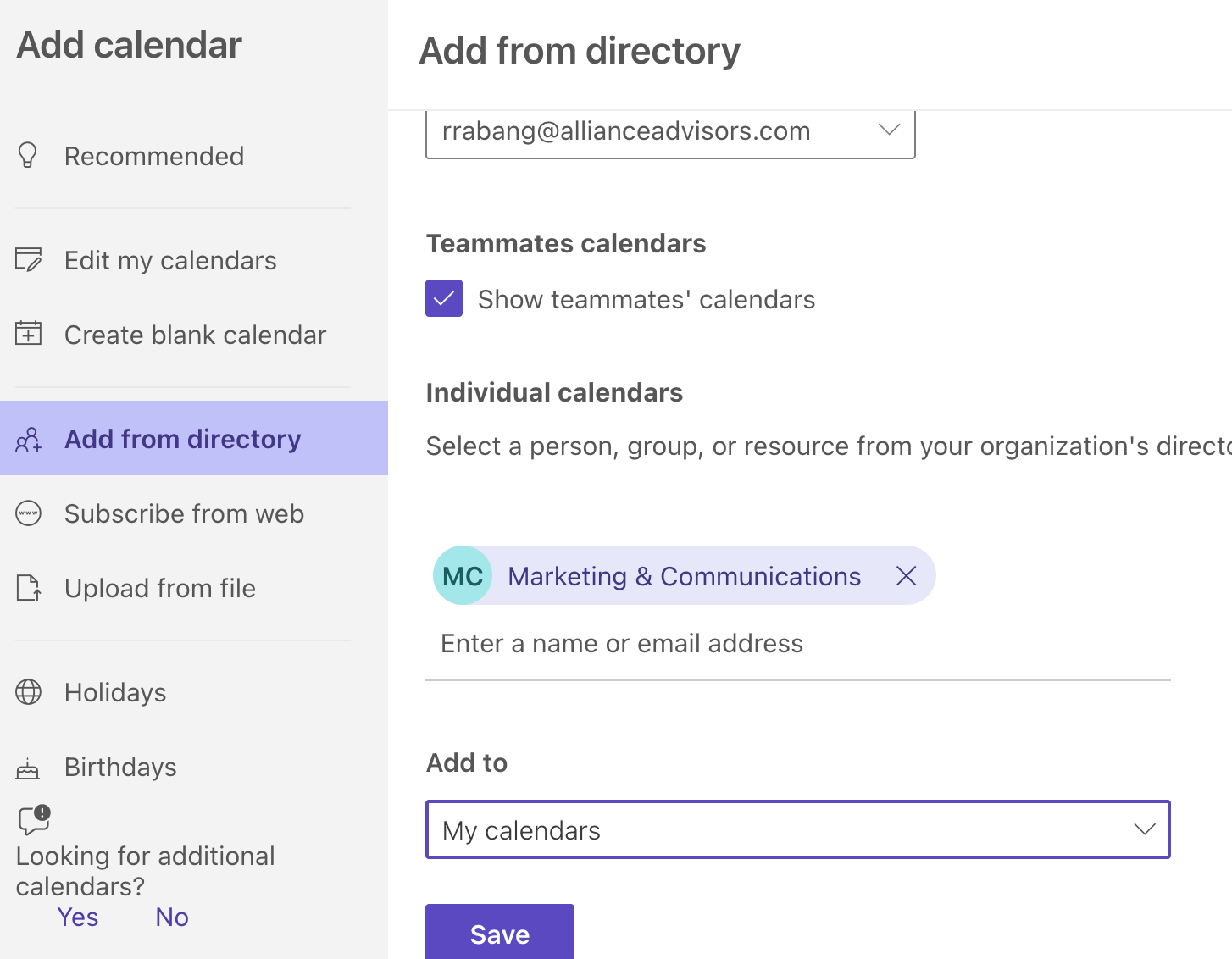
You can now toggle our Marketing Calendar!
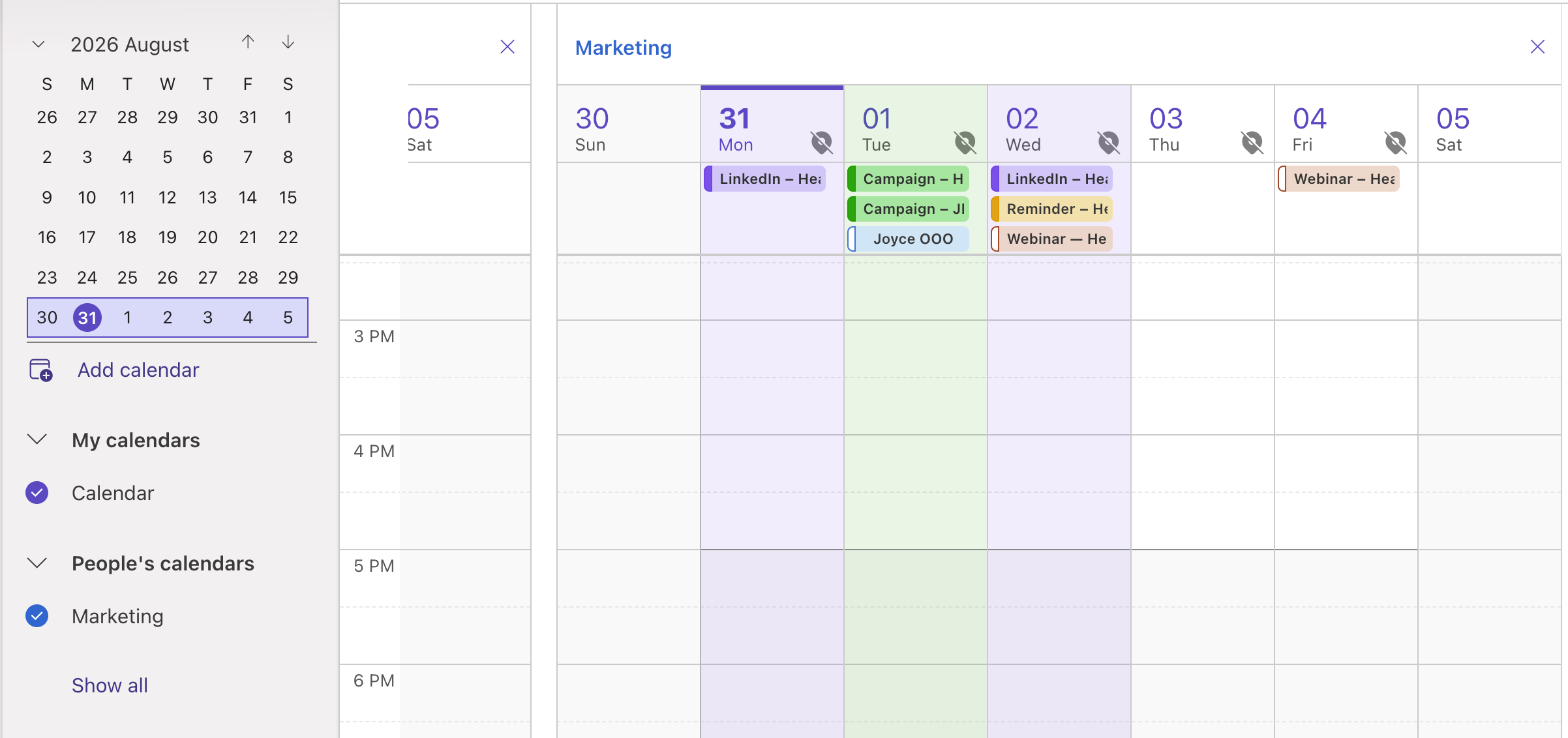
What's In Our Marketing Calendar
- Out of Office
- Newsletter Distribution
- Blog Distribution
- Social Media Post Distribution
- Events/Webinar
- Email Campaigns
Color Category Legend
|
Category |
Color |
Example |
|---|---|---|
|
Reporting periods: Q1/Q2/Q3/Q4 |
Blue |
Q1 Reporting Period |
|
Webinar / event |
Orange |
Webinar – Healthcare with Alliance |
|
Thought leadership |
Purple |
Article — SME review / due LinkedIn – Healthcare webinar 1 |
|
Newsletter / email campaign |
Green |
Newsletter – Send Out Campaign – JPM Email 1 |
|
Internal planning / meetings |
Yellow |
Reminder – Update Client Summary Board |
|
OOO / Birthday |
Red |
OOO – Rica Birthday – Joyce! |
Any questions please reach out to the Marketing team.